
One of the top cybersecurity trends in 2026 is that phishing scams are getting scarily good. We just personally witnessed a dangerous one that’s been making the rounds in the Albany area.
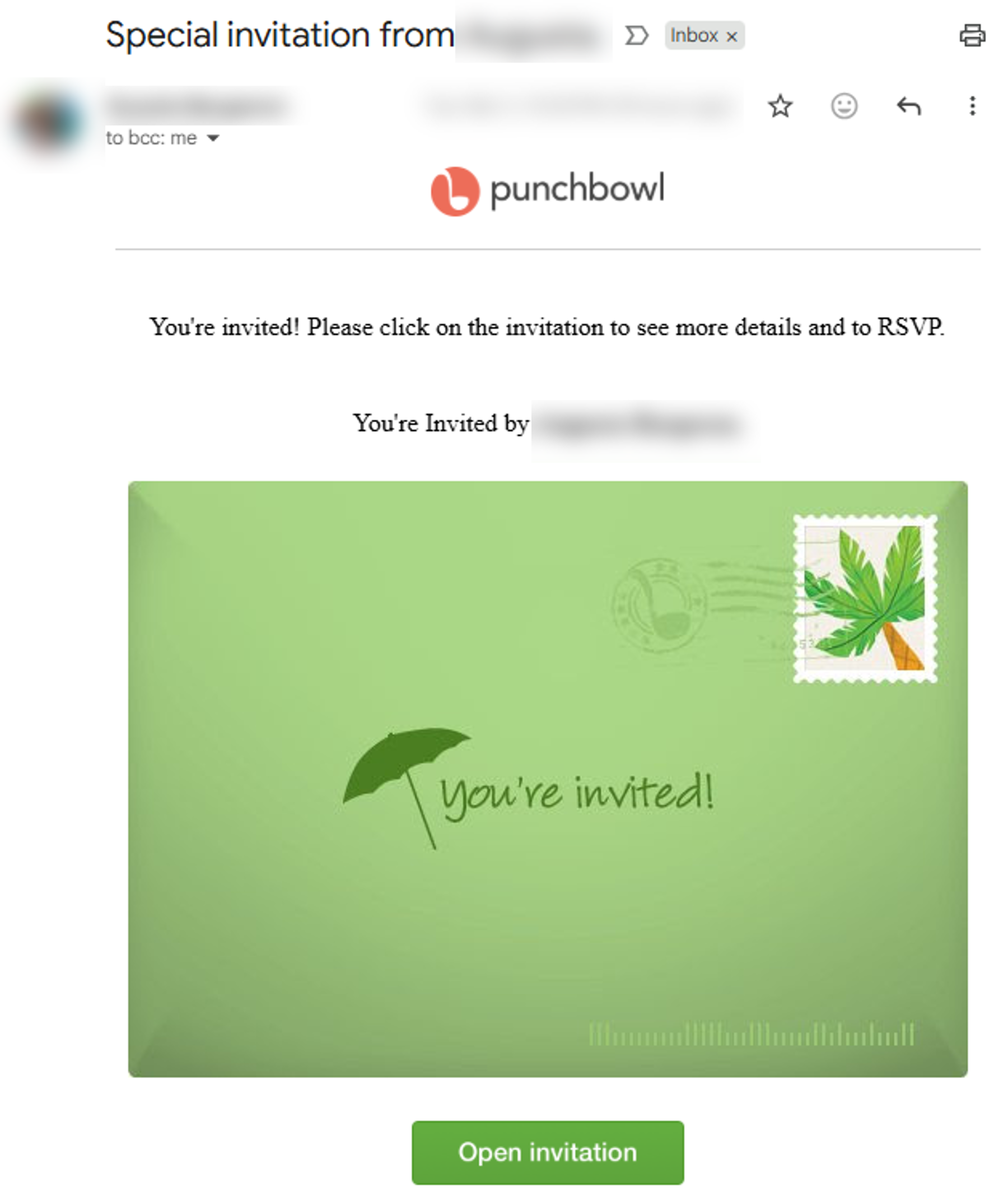
The frightening thing about this scam is how convincing it looks. It involves a Punchbowl invite and a Google sign-in page that both look completely identical to the real thing. It even includes accurate identifying information on your friend like email address and signature because it hijacks their actual email account.
How This Scam Works
First, a cybercriminal gains access to your friend’s email account. Once inside, the attacker sends invitations to that person’s contacts using the party-invitation platform Punchbowl.
Here’s the typical sequence:
- The attacker compromises your friend’s email account.
- They send you a Punchbowl invitation that appears completely legitimate.
- The invitation includes a link directing you to sign in with your Google account.
- The link takes you to a fake Google login page that looks identical to the real one.
- When you enter your email and password, the attackers capture your credentials.
- They then use your account to repeat the scam with everyone in your contact list.
If You Receive a Suspicious Invitation
If a friend sends you a suspicious invitation, let them know immediately…but don’t email them. The hackers will intercept any email warning you send.
Instead, let your friend know they’ve been hacked. Make sure to use the most immediate and secure method possible:
- Texting is good, especially through a secure platform like What’sApp or Signal.
- Calling is better. Only the most advanced scammers can impersonate someone on a live call.
- Meeting in-person is best…but might be too slow. In-person chats are completely hack-proof, so they’re the best option to inform people you see every day like family and coworkers. However, speed is generally more important.
If Your Email Gets Breached
If your email gets breached, it’s bad, but it’s not the end of the world. With a quick, decisive response, you can mitigate the damage and help keep you friends and family safe.
Here’s what you need to do ASAP:
- Change your password immediately.
- Sign out of all active sessions.
- Review the “My Devices” or “Security Activity” section and remove all unknown devices.
- Enable or verify Multi-Factor Authentication (MFA).
- Sign out, then and log back in with your new password.
- Check for any email forwarding rules attackers may have created.
- Alert your contacts that your account was compromised.
- Monitor sensitive accounts such as banking, cloud services, and work systems.
Attackers often attempt to maintain persistence: hidden forwarding rules or app tokens that remain in your account even after the password has been changed. If you don’t get rid of these, you’ll remain vulnerable to a future attack.
What to Do If Your Business Email is Breached
Business email breaches are often far worse than personal email breaches because the stakes are much higher. They’re usually more sophisticated, and they can lead to high-value thefts, ransomware attacks, and worse.
If you suspect your business email was breached, or if you’re worried about a future breach, LogicalNet is here to help. We’d be happy to give you a free consultation on how to prevent email breaches and mitigate the damage when they do happen.